Intro
In my journey into multicloud, I started a ritual where I’d write about each certification I pass (GCP, Hashicorp) for my own use and for times when I’m asked for prep tips and takeaways.This time, Azure administrator associate exam is no exception.
Whether you're preparing for an AWS, Azure, OCI, Alibaba or GCP certification, sharing your afterthoughts around the preparation journey along with insights on training material vs exam impressions can be very powerful.
As you surf that learning curve, it becomes crucial to not only absorb the content but also pause and reflect upon each step.
These captured snapshots and highlights, can elevate your learning process to new heights.
The exam summary
Table of contents
All you need to know about the exam layout can be found in the official Page, Including the exam guide. The important points to remember however are the below:
Length: 2 hours.
Questions: 50-65
Exam format: Multiple choice and multiple select
Recommended experience: Officially, 6-12 months hands-on experience, but this can be offset by the labs & online trainings.
Pass Score: 700.
Score per topic: available.
Exam center: Pearson VUE: Microsoft
Retake Policy: 24h after the 1st fail, 14 days waiting period imposed between all subsequent attempts (up to 5).
Pass confirmation: Instantaneous.
Validity: 18month
Preparation time: Some say 2-3 months, Already passed the Az-900 before and used evenings and weekends, so it took me around ~90 days course/labs + exam practice spread across 9 months. I know it’s long but that’s just me as I like to take notes and had to redo labs after long interruptions.
Impressions
After my GCP cert, I opted for this exam because AWS Solution Architect certification (SAA-C03) wasn't out yet, but this cloud platform really grew up on me along the way. If ACloudGuru subscription is too expensive, check out the 100% FREE section.
Administrator title is not a coincidence
The Azure AZ-104 exam stands out from other cloud exams as it truly reflects the role of an administrator.
- You will not pretend to play the architect, but really act as an MS admin like the ones who are rocking it on-premises.
- This exam focuses on the hands-on responsibilities of managing Microsoft system in-out of azure.
- Concepts such as Active Directory, hybrid networks, and security proved to be the most challenging aspects.
- It has a case studies and scenario questions which is unique to Microsoft exams
- However, unlike other cloud providers like AWS or OCI, there is less emphasis on database services, and Kubernetes is not a prominent topic (unlike for GCP) .
- While I had mixed feelings about the contrast between the training content and the actual exam questions, the overall experience was enjoyable, as I got more interest in Azure today than I was before.
Exam guide
Exam guide
The content is available in the official Microsoft certification page and you will see a lot of versions online .
- The best resource to start with the official AZ-104 study guide (download pdf version)
- The 4 major areas that the exam focuses on are as follows (as of April 27 2023)
Manage Azure identities and governance (15-20%)
Implement and manage storage (15-20%) => increased
Deploy and manage Azure compute resources (20-25%) => decreased
Configure and manage virtual networking (20-25%) => decreased
Monitor and back up Azure resources (10-15%)
But basically, There are 9 objective domains modules:
Module 1: Identities
Module 2: Governance & Compliance
Module 3: Azure Administration
Module 4: Virtual Networks
Module 5: Intersite Connectivity
Module 6: Network Traffic Management
Module 7: Azure Storage
Module 8: Azure Virtual Machines
Module 9: Serverless Computing
Module 10: Data Protection
Module 11: Monitoring
My ultimate AZ-104 bundle notes
If you’re wondering why it took me 9 months to ace it, it’s partly due to my notes.
This one is the most complete you can find. Chapters contains deeper descriptions to each domain module and more, and I still use it today to refresh my memory as it has tons of tips. Enjoy :)!
Link: https://bit.ly/45VJEPe
will also blog about some labs in the future.
Official resources Microsoft Learn
- Free Self paced modules easy to follow but not enough
- AZ-104 Prerequisites for Azure administrators – 4 hr 25 min
- AZ-104: Manage identities and governance in Azure – 4 hr 48 min
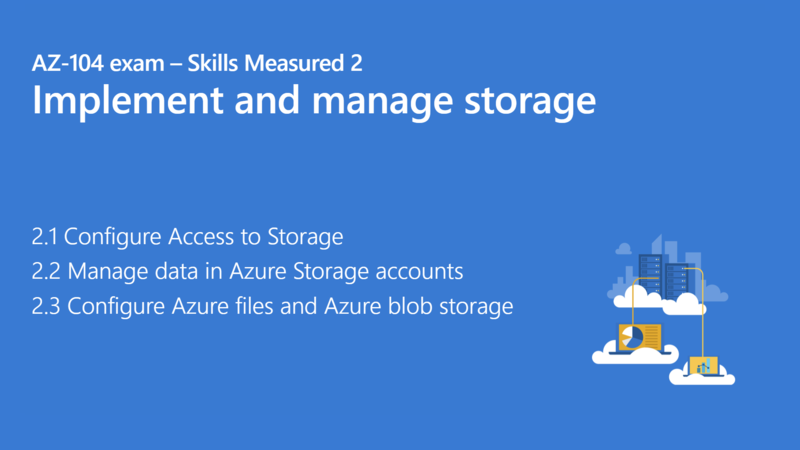
- AZ-104: Implement and manage storage in Azure – 4 hr 16 min
- AZ-104: Deploy and manage Azure compute resources – 7 hr 40 min
- AZ-104: Configure and manage virtual networks for Azure administrators – 9 hr 23 min
- AZ-104: Monitor and back up Azure resources – 6 hr 28 min
- Get tips and tricks for teaching AZ-104 Msft Azure Administrator (Virtual Ed Prep Sessions)–2 hr 34 min
- Prep videos: 30-50 minutes each (click in the pics)
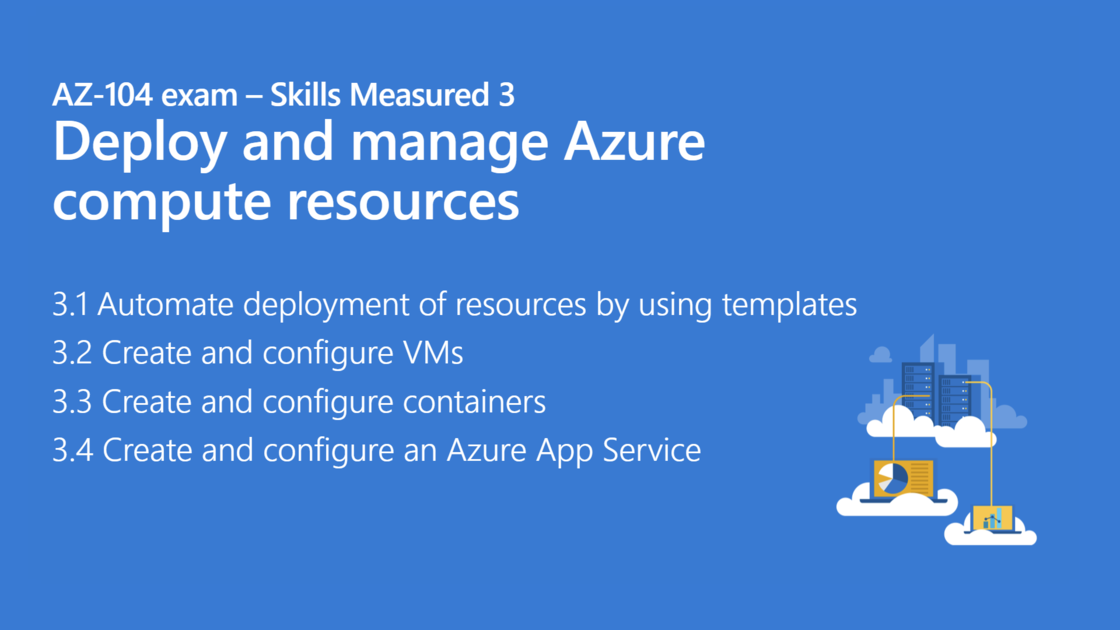
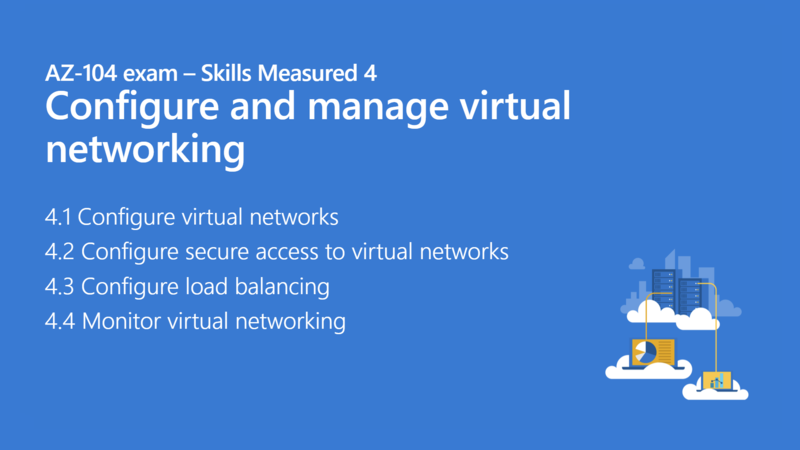
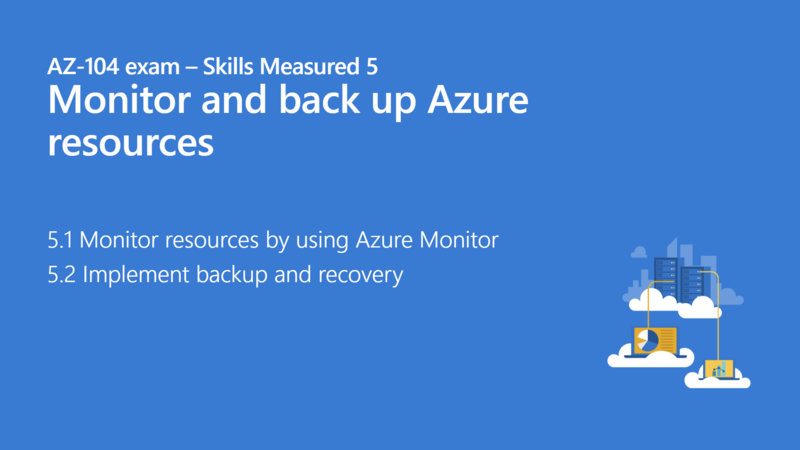
Other Microsoft resources : Can also help you quickly describe GCP services grouped by domain.
- Azure Documentation– containing overview, tutorials, how-to guides that help dig deep into Azure services.
- Official Azure tips and Tricks– community repository with 100s of tips (blog pots & videos cover all of Azure platform.
- Azure Blog – updated on new features and offerings of Microsoft Azure ( new services replacing old ones).
Courses I followed
Like many, I searched for the best training materials online. While I couldn't take multiple courses due to the time commitment (30-40 hours on average), I did explore the Microsoft official Az-104 modules and videos first.
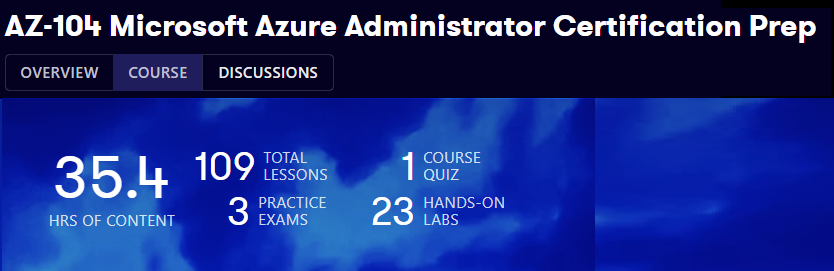
Cloud Guru: AZ-104 Microsoft Azure Administrator Certification Prep(By Chase Dovey)
This required a subscription for which I thank my company for providing to their employees.
- Pros
- Best learning platform for preparing certifications and following tailored learning paths (100s of labs)
- Multi-cloud sandboxes for Azure, AWS, and GCP exploration ( 4hrs/session)
- Engaging labs with Chase using az cli or PowerShell on various topics like
- Scaling an App service plan
- Build and run a Container using Azure ACR tasks
- Create a WebApp from Docker Container in azure
- VM configuration automation using desired state configuration SDC or using ARM templates…
- Opportunity to learn and configure Azure Firewall (my favorite)
- These labs go beyond the initial goal and help in keeping skills updated and fresh
- Clear and easy-to-understand explanations, such as the stateful nature of NSGs
- ex: NSG are stateful => Allowed ingress traffic will allow egress with a return traffic
- Cons
- 34 hrs, is a lot of time especially for me as I like to take notes of everything to reuse them after my exam
- Limited content related to IAM and Azure AD user and device management (I wish they did more more)
- Insufficient coverage of hybrid configurations and DNS multiple setups
- The exam practice was ok but don't closely resemble the actual exam questions
- Unfortunately, the gap between course material and exam content,is a common issue in AZ-104 courses
- Pro Tip don’t have long breaks between chapters and complement the labs with other exam practices online
Other Courses
There’s usually tons of courses in Udemy but unlike AWS there’s not a lot of competition for azure
AZ-104 Microsoft Azure Administrator Exam Prep - APR 2023
($20-$54) Bestseller: 17 hours - 1 practice test - 23 articles (AKS detailed)
- Pluralsight: AZ-104 Microsoft Azure Administrator Certification Prep (14hrs) same author ACGURU course / no lab
100% Free resources
Azure Admin Certification (AZ-104) - Full Course By @AndrewBrown
Content:
Andrew is very popular in the community (AWS community hero/GCP champion innovator), as he has a lot of free courses in YouTube beside his learning platform examPro. I didn’t follow this one but he never ceases to deliver.
He covers everything in 11hrs but the best part was the cheat sheets !:
0:53:22 AD CheatSheet
1:12:19 Device Management Cheatsheet
1:26:50 Roles CheatSheet
1:41:06 Policies CheatSheet
2:06:40 ARM CheatSheet
2:30:12 ARM Template CheatSheet
3:54:31 Storage Accounts CheatSheet
5:27:55 VM CheatSheets
6:01:36 Disks CheatSheet
6:11:43 AGW CheatSheet
6:21:22 Scale Sets CheatSheet
7:14:02 App Services CheatSheet
7:31:07 Create an Application Gateway
8:09:54 Monitor CheatSheet
Last tip (Time management and always Practice!)
Practice
Anyone who tells you that he passed the exam without taking any exam practice is either a genius or a liar.You better train as much as possible after theory is done.
Here are some links(you’ll probably need to look for other sources.
- Practice with ACloudGuru exam simulator until hitting 100%
- Microsoft Official free Practice Assessment: 50 questions, repeatable, FREE
- Azure-in-bullet-points: This repo contains nice summary notes for different Azure exams (ie. AZ-104) .
Get your things together
I can’t emphasize enough on this because I made the same stupid mistake
When you have a certification don’t ever let long breaks creep in
No matter what time it takes or how busy you are at work, you need to respect your target
Take days off, I don’t care, but don’t slack for months halfway through (don’t be cheap).
Otherwise this will backfire hard, trust me! been there.
Conclusion - Certified now what?
Despite my time management mistake I am glad I held until then end to secure this one out.
Azure's #2 cloud platform rank is no coincidence; as it's adopted by 90% of Fortune 500 companies.
Learning the platform could open doors to a steady career path in the cloud industry.
But make no mistake, Continuous practice is crucial; without regular hands-on experience, your certification will have 0 value in the job market.
Solution? Spaced repetition to get better at it using labs and share it online through blogging.
If you did a task through the console? Try it using az-cli , PowerShell, or even Terraform.
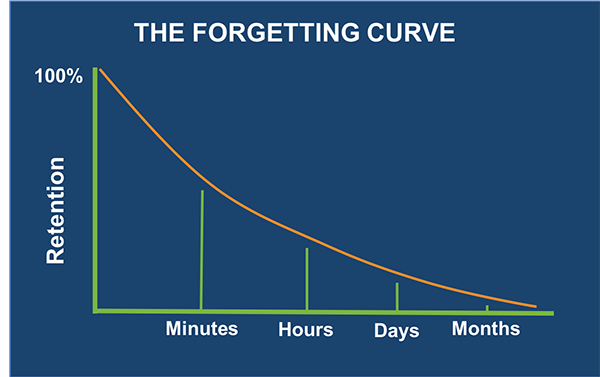
Within 1 hour, people will have forgotten an average of 50 percent of the information presented.
Within 24 hours, they have forgotten an average of 70 percent of new information
Within a week, forgetting claims an average of 90 percent of it
Appendix: Full list of exam topic/skills
Manage Azure identities and governance
- 1. Manage Azure AD objects
- Create users and groups
- Manage licenses in Azure AD
- Create administrative units
- Manage user and group properties
- Manage device settings and device identity
- Perform bulk updates
- Manage guest accounts
- Configure self-service password reset
- 2. Manage access control
- Create custom role-based access control (RBAC) and Azure AD roles
- Provide access to Azure resources by assigning roles at different scopes
- Interpret access assignments
- 3. Manage Azure subscriptions and governance
- Configure and manage Azure Policy
- Configure resource locks
- Apply and manage tags on resources
- Manage resource groups
- Manage subscriptions
- Manage costs by using alerts, budgets, and recommendations
- Configure management groups
Implement and manage storage
- 1. Configure access to storage
- Configure network access to storage accounts
- Create and configure storage accounts
- Generate shared access signature tokens
- Configure stored access policies
- Manage access keys
- Configure Azure AD authentication for a storage account.
- Configure storage encryption
- 2. Manage data in Azure storage accounts
- Create import and export jobs
- Manage data by using Azure Storage Explorer and AzCopy
- Implement Azure Storage redundancy
- Configure object replication
- 3.Configure Azure Files and Azure Blob Storage
- Create an Azure file share
- Configure Azure Blob Storage
- Configure storage tiers
- Configure blob lifecycle management
Deploy and manage Azure compute resources
- 1. Automate deployment of resources by using templates
- Modify an ARM template
- Deploy a template
- Save a deployment as an ARM template
- Deploy virtual machine (VM) extensions
- 2. Create and configure VMs
- Create a VM
- Manage images by using the Azure Compute Gallery
- Configure Azure Disk Encryption
- Move VMs from one resource group to another
- Manage VM sizes
- Add data disks
- Configure VM network settings
- Configure VM availability options
- Deploy and configure VM scale sets
- 3.Create and configure containers
- Configure sizing and scaling for Azure Container Instances
- Configure container groups for Azure Container Instances
- Create and configure Azure Container Apps
- Configure storage for Azure Kubernetes Service (AKS)
- Configure scaling for AKS
- Configure network connections for AKS
- Upgrade an AKS cluster
- 4. Create and configure an Azure App Service
- Create an App Service plan
- Configure scaling settings in an App Service plan
- Create an App Service
- Secure an App Service
- Configure custom domain names
- Configure backup for an App Service
- Configure networking settings
- Configure deployment settings
Configure and manage virtual networking
- 1. Configure virtual networks
- Create and configure virtual networks and subnets
- Create and configure virtual network peering
- Configure private and public IP addresses
- Configure user-defined network routes
- Configure Azure DNS
- 2. Configure secure access to virtual networks
- Create and configure network security groups (NSGs) and application security groups (ASGs)
- Evaluate effective security rules
- Implement Azure Bastion
- Configure service endpoints
- Configure private endpoints
- 3. Configure load balancing
- Configure Azure Application Gateway
- Configure an internal or public load balancer
- Troubleshoot load balancing
- 4. Monitor virtual networking
- Monitor on-premises connectivity
- Configure and use Azure Monitor for networks
- Use Azure Network Watcher
- Troubleshoot external networking
- Troubleshoot virtual network connectivity
Monitor and maintain Azure resources
- 1. Monitor resources by using Azure Monitor
- Configure and interpret metrics
- Configure Azure Monitor Logs
- Query and analyze logs
- Set up alerts and actions
- Configure monitoring of VMs, storage accounts, and networks by using VM insights
- 2. Implement backup and recovery
- Create an Azure Recovery Services vault
- Create an Azure Backup vault
- Create and configure backup policy
- Perform backup and restore operations by using Azure Backup
- Configure Azure Site Recovery for Azure resources
- Perform failover to a secondary region by using Azure Site Recovery
- Configure and review backup reports
- 3. Configure load balancing
- Configure Azure Application Gateway
- Configure an internal or public load balancer
- Troubleshoot load balancing
- Configure custom domain names
Note: though these titles seem unhelpful at first sight, they’re here to give an overview of what Az-104 course should contain.